






By guest blogger Kathleen Hubert
If you’ve ever dug up an old photo of a forgotten time and marveled at the simplicity and beauty of the good old days, you’ve probably wished you could keep those memories inside of you forever without worrying about damage or decay. The good news is that now, with digital preservation technology, you can! Converting old print photos into digital format is now easier than ever. Not only will it preserve your memories safely, but it will also help you to cut down on all the clutter in your attic. And your photos will be available for your viewing pleasure any time you like without a huge attic exploration process. Here are a few ways to get this done.
Flatbed Scanner
The best way to turn your old photos into digital gems is with a flatbed scanner. This technology requires very little technical skill and almost always produces top quality results. A flatbed scanner features a lid covering a glass top, underneath which a scanning head photographs an image and converts it into digital format. Most flatbed scanners come with an automatic mode that allows you to simply place the photo in the scanner and press scan. Everything from then on is automatic, and your old photo will appear on your computer screen as if by magic.
Wand Scanner
A great option for scanning on the move, a wand scanner is a little bit more difficult to master. If there is an old photo you want to scan over at your mother’s house but you can’t possibly bring your entire scanner and computer setup, this may be the option for you. A wand scanner is a handheld device that is operated much like a vacuum cleaner. Place the photo on a flat surface and slowly ‘vacuum’ down its entire length. Wand scanners often produce inferior image quality but are great for capturing images on the go.
Film Scanner
A film scanner is used to create digital copies of film slides or negatives. It is a tiny scanning device that is specifically designed to accommodate only the small sizes of negatives and slides. Film scanners usually produce images of extremely high quality, which is possible because of the incredible resolution of film negatives. Although you might find it hard to fit any actual photo prints into the tiny deck of a film scanner, this machine may be perfect for you if you are one of those treasure hoarders who likes to keep all their old slides and negatives.
Panoramic Stitching
Some old photo prints are too large to even fit inside the bed of a traditional flatbed scanner. When you need to scan an exceptionally large photo but can’t seem to find a scanner large enough to fit it, try panoramic stitching. Panoramic stitching is a software trick that allows you to capture breathtaking views of large landscapes by taking repeated photos with your digital camera. The software then stitches these together automatically to create one big portrait. You can use this same software to stitch together various scans of different parts of one large photo and produce one beautiful, flawless result.
Place the photo on your scanning bed and scan one section. Next, move it a bit and scan a different section, making sure that part of the previously scanned section is overlapping. Repeat this process until all sections of your photo have been scanned, and then load all sections into a photo-editing program with panoramic stitching capability.
Photo-Editing
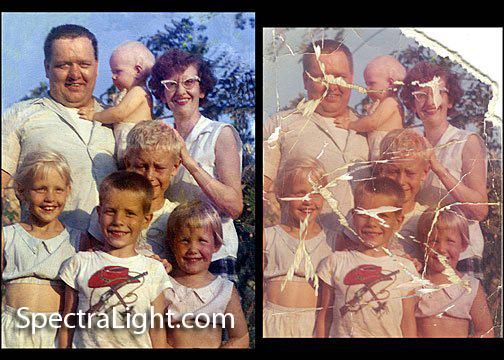
Once your old photo prints have been converted into flawless digital copies, you may want to touch them up with photo-editing software. You can easily correct brightness and contrast issues with the simplest photo-editing software as well as remove speckles, lens flares, red eye, and other flaws. Before making any major changes to a photo, be sure to save a backup copy in another directory on your computer just in case you make a mistake.
What do you do with your photos when you convert them for use on your computer? Do you make a digital scrapbook? A slideshow copied to DVD to watch on your TV? Do you post them on your family’s personal web page? Please leave your comments on this post.
Kathleen Hubert is a blogger who writes on a variety of topics. You can read some of her other work on her Facebook page.
Thank you to sharing helpful information
You’re very welcome. Are there any other photography topics you would like me to explore?